🎮 Game Controls & Keyboard Guide
Block Slide: The Ultimate Puzzle Challenge
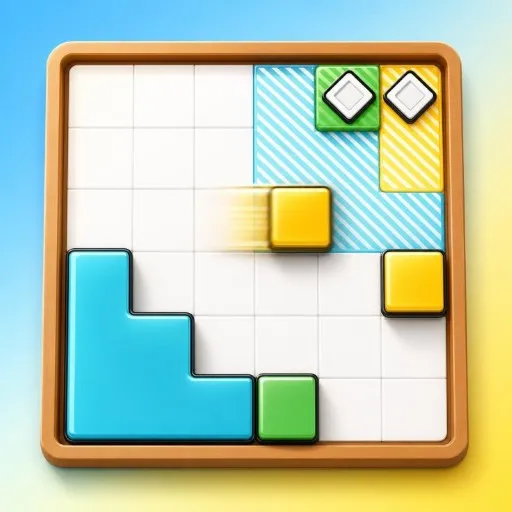
Block Slide is a minimalist sliding block puzzler. Swipe or press an arrow key and every block slides until it hits a wall or another block get each onto its matching target to clear the level. 130 levels introduce mechanics gradually: teleporters, arrow tiles, sticky blocks, pins, pressure traps, rotators, conveyors, and multi-board levels solved in parallel. Play on desktop or mobile portrait and landscape adapt automatically.
Step directly into the action with Block Slide. This top-tier Puzzle title combines immersive visuals with addictive, responsive browser mechanics.
⚡ Key Features
🌟 High-Def Visuals
Crisp graphics with 60 FPS smooth rendering for an immersive visual experience.
🔒 100% Free & Safe
Play completely free of charge without forced subscriptions or account barriers.
⭐ Pro Tips & Strategy
Prioritize clearing obstacles and locked tiles early to expand available movement area. Prioritize clearing obstacles and locked tiles early to expand available movement area.



Complete Guide & Gameplay for Block Slide
Mastering Block Slide requires a blend of fast reflexes and smart resource management. Hone your reaction time to survive intense encounters.
This classic Puzzle browser title is fully optimized for HTML5 browsers, delivering responsive physics and immersive action on desktop, mobile, and tablet platforms without downloads.
